Advanced Topics
Macros - Create a Macro
How to create a macro in basepac
Create a Macro
First Digitize a pattern you want to save.
- The location of your first stitch and last stitch are important!
- The location of your first stitch is where the repeat will start.
- The location of your last stitch is where the repeat will end.
Once you have the Pattern you want to save punched.
Go to Module Mode by clicking this icon

Select your object in the Film Strip
Then go to the Blocks Menu
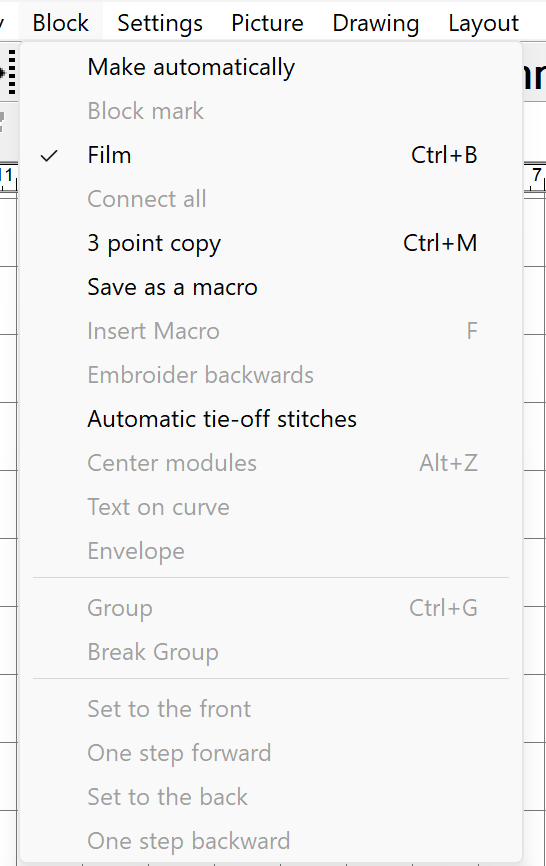
and select Save as a Macro.
A new window will popup where you can give your macro a name.
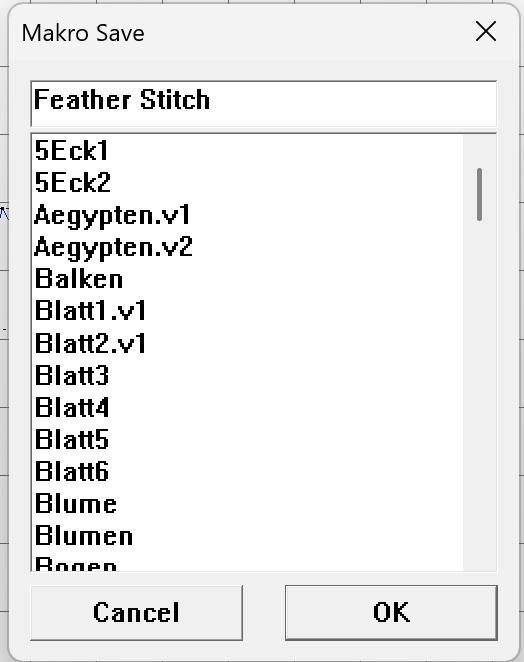
In this example the Macro name I assigned is Feather Stitch.
Click OkThe Macro is now saved and you are able to utilize it in future designs.Tags
#